






Emergency Light Testing Form: Log Monthly and Annual Tests



If you manage a building in the UK, you need a written record of every emergency lighting test. Without one, an inspector, insurer or fire risk assessor will treat the tests as if they never happened. A good emergency light testing form is simple, but it has to capture the right details every time.
Here is the short answer. You need one log sheet that records monthly function tests (a brief flick test of each luminaire) and the annual 90-minute duration test required under BS 5266-1. Each entry should show the date, the fitting location, the result, any fault found, the action taken and who signed it off. A template in Word, Excel or PDF all work, provided you fill it in and keep it on site.
Below, we explain what to put on the form, how to complete it for each type of test, and how to handle failures. We carry out emergency lighting testing across London and the South East, so the layout reflects what we see on real sites and what auditors ask to see.
What an emergency light test form must record
A test sheet is only as good as its columns. Whether you download a free emergency lighting log book template or build your own, check it against the fields below before you rely on it. Missing fields are the usual reason an inspector rejects a log.
Fields for every entry
Each line should cover one luminaire and one test. That lets you trace a failing fitting back to a date and a person. Use these columns:
|
Field |
Example entry |
|---|---|
|
Date and test type |
14/10/2026, monthly function |
|
Luminaire number and location |
EL12, first-floor corridor |
|
Result |
Pass or fail |
|
Fault found and action taken |
Lamp replaced, retested |
|
Tester name and signature |
J. Patel, initialled |
If a test isn't written down, you can't prove it happened.
Site details at the top of the sheet
Start the page with the premises address, the name of the responsible person and the date of the last annual test. Add a reference to your floor plan so each luminaire number can be found quickly. For an annual test, also record the start and finish times, so the log shows the fitting ran for its full rated duration.
Format matters less than discipline. A printed emergency light testing PDF kept in the fire logbook works well, and so does an editable spreadsheet, provided entries are dated, signed and never overwritten. Your emergency lighting testing record should read as a continuous history, not a one-off tick-list, which is exactly what the BS 5266-1 log book rules expect.
Step 1. Set up your emergency lighting logbook
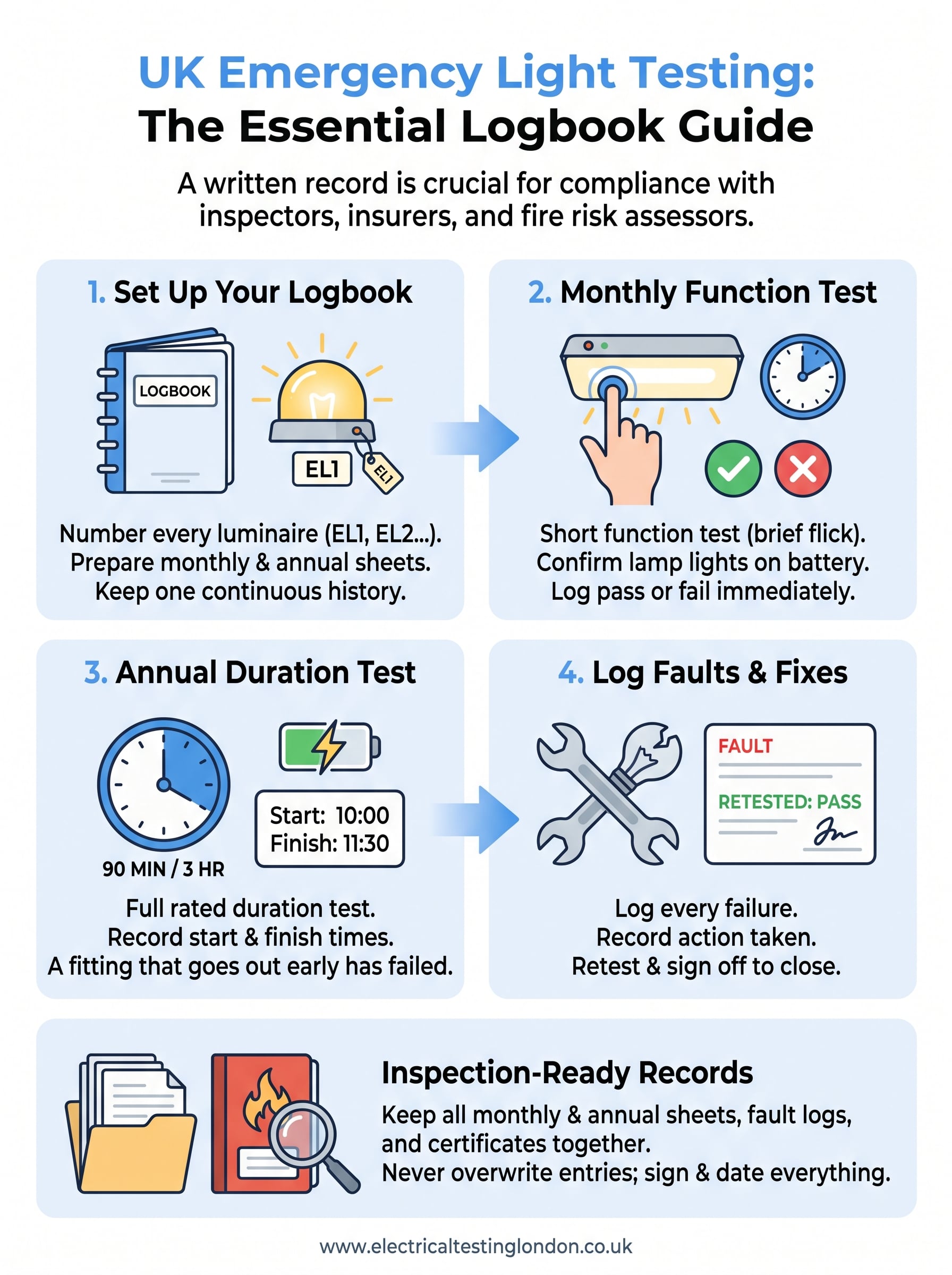
Start with one logbook for the whole building, created before the first test falls due, and set it up alongside the step-by-step test procedure you will follow each month.. Keep it with the fire logbook so the responsible person and any inspector can find it in seconds. One emergency light testing form used every month gives you a clean, continuous history instead of a pile of loose sheets.
Number every luminaire
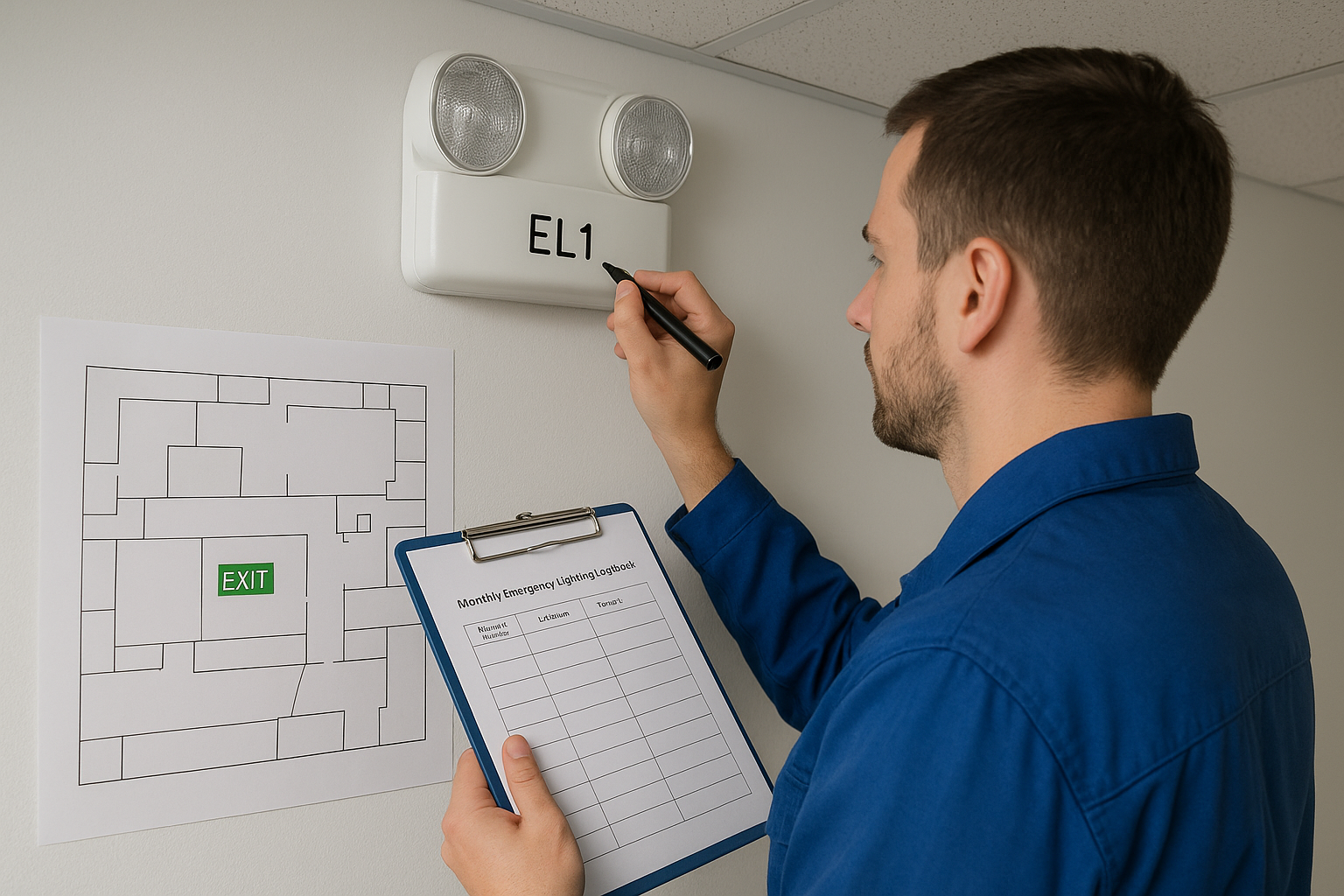
Walk the site with your floor plan and give each fitting, including exit signs, a unique number. Then work through these steps:
-
Label each fitting EL1, EL2 and so on, on the unit itself.
-
Mark the same number on the floor plan.
-
Add each one to the form with its location and fitting type.
One luminaire, one number, one row on the form.
Prepare your sheets
Print a monthly sheet with one row per fitting, plus a separate annual sheet for the 90-minute test. If you use a spreadsheet, save a locked PDF copy after each entry so nothing can be quietly changed later. Keep spare blank sheets in the same folder, so a test is never skipped because the paperwork ran out.
Step 2. Record the monthly function test
Once a month, run a short function test on every fitting, as the UK monthly and annual testing requirements under BS 5266-1 expect. The aim is to confirm each lamp lights on battery power, not to drain it. Warn occupants first, and avoid testing when a failure would leave people unprotected.
Run the test
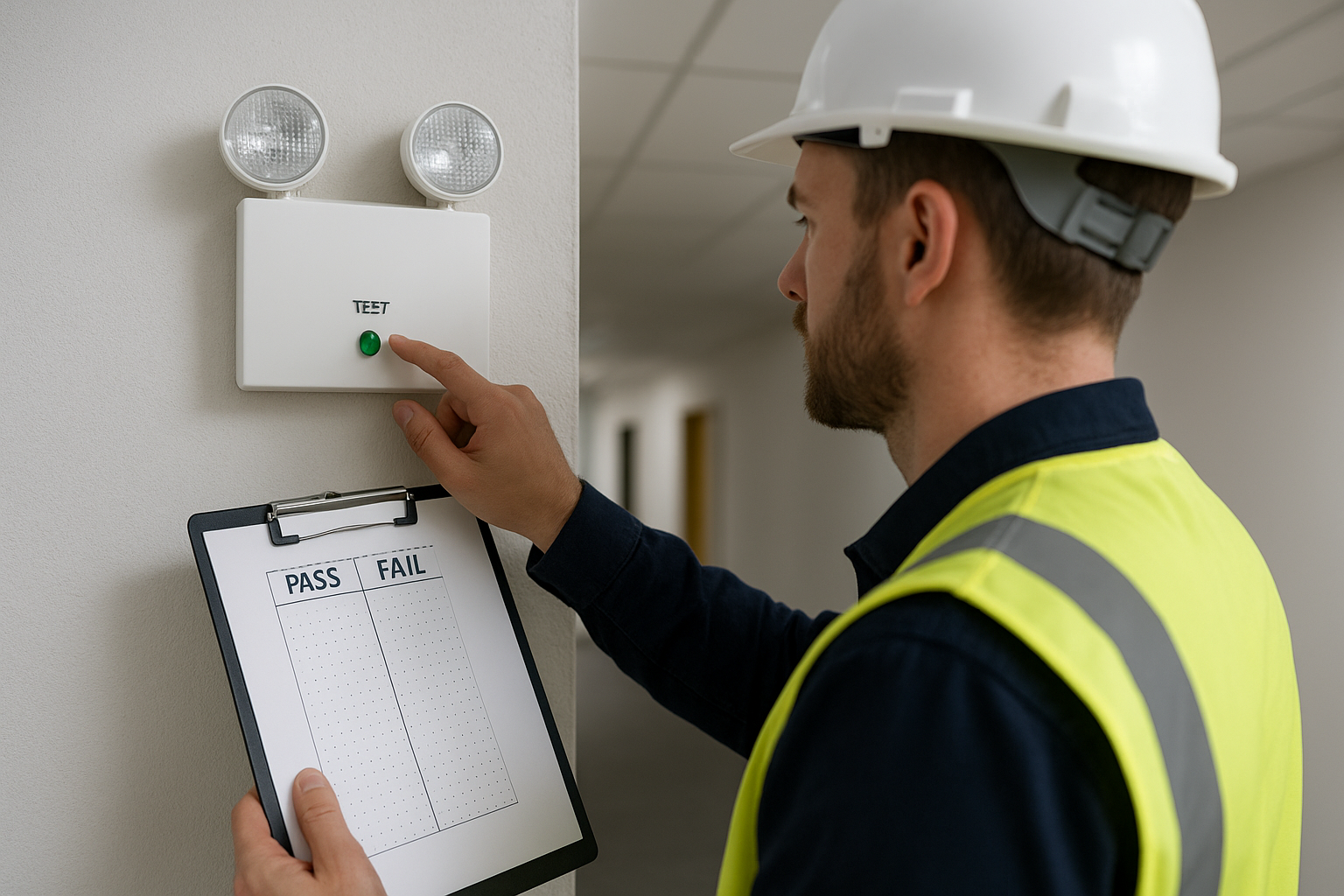
Work through the building in luminaire number order, using the key switch or test button on each unit. Keep the monthly sheet in your hand as you go.
-
Operate the test switch and confirm the lamp lights.
-
Mark pass or fail on the sheet.
-
Restore the supply and check every charge indicator is green.
-
Sign and date the sheet.
Log each result as you test, never from memory afterwards.
Write it up the same day
Enter the results on your emergency light testing form before you leave site. Write "fail" clearly, and note the fitting number so you can pick it up in Step 4.
File each month's sheet in the logbook. Twelve consecutive sheets show an inspector a complete year of testing with no gaps.
Step 3. Record the annual full-duration test
Once a year, as the UK testing schedule sets out, test every fitting for its full rated duration. Many sites say "90 minutes", but check the rating on each unit, as most modern luminaires are rated for 3 hours. Book the test for a quiet period, because batteries need up to 24 hours to recharge afterwards.
Run the test and log it
Use the separate annual sheet from Step 1. Then work through these steps:
-
Record the start time and note that the supply was isolated.
-
Check every fitting is still lit at the end of its rated period.
-
Enter the finish time and a pass or fail for each luminaire.
-
Restore the supply and confirm the charge indicators are green.
A fitting that goes out early has failed, whatever the monthly tests said.
Sign off and file
Sign and date the annual sheet, then file it behind the monthly sheets. Failed fittings go straight into your fault log, ready for Step 4. Keep any competent person's certificate with it, so your emergency lighting testing record shows both who tested and when.
Step 4. Log faults, fixes and keep records
Log every fault
Every failed fitting from Steps 2 and 3 needs its own line in a fault log. Record what went wrong, what you did and the date it was retested and passed. Your emergency light testing form then shows problems being closed, not ignored.
|
Date |
Luminaire |
Fault |
Action |
Retest date |
Signed |
|---|---|---|---|---|---|
|
14/10/2026 |
EL12 |
Lamp not lit |
Lamp replaced |
14/10/2026 |
J. Patel |
A fault isn't closed until the retest is signed.
Keep the records together
Never bin old sheets at the end of the year. File the monthly sheets, annual sheets, fault log and certificates in one place, as the maintenance requirements for a UK testing log set out, so the full history is ready the moment an inspector asks for it.
Where a fitting can't be fixed the same day, note that on the log and arrange temporary cover until the repair is made. For repeat failures or ageing batteries, call in a qualified engineer rather than replacing lamps again and again.
Keeping your test records inspection-ready
An inspection-ready log comes down to habit. Keep one emergency light testing form for the whole building, run the monthly and annual tests on schedule, and sign every entry the same day. A continuous, signed history is what an inspector wants to see.
Faults deserve the same discipline. Log each one, record the fix and retest before you close it. Keep the sheets, fault log and certificates together in one folder, ideally next to the fire logbook, so nothing goes missing when someone asks.
If you would rather hand the work to a professional, we can help. Our qualified engineers test emergency lighting across London and the South East, and leave you with a completed record. To discuss your site, get a quote for emergency light testing today.